Showing posts with label Self Portrait. Show all posts

Tuesday, June 8, 2010

#558. Training Day

This was one of the images I presented at our Bay Area Photo Club meeting tonight. I entered this photo for the assignment which was "Humorous". I made a not so subtle editorial statement with the photo (all in good fun of course) but to their credit the judges gave the photo a Gold Award!

Title: "Training Day"


Camera / Lens: Canon 5D Mark II / Canon 24-105mm L zoom
Post-processing: Photoshop CS4 > Topaz Adjust plugin > texture from flypapertexture.blogspot.com

Thursday, May 13, 2010

#545. American Beauty

I've had the idea to create an "American Beauty" style image for a while and I finally got around to doing it last night. The basic components for this type of glamour shot are a white background, some high key lighting, some rose petals, and, oh yes, a sexy model! Enjoy! :-)

Title: "American Beauty"


Camera / Lens: Canon 5D Mark II / Canon 24/105mm L zoom
Post-processing: Adobe Camera Raw > Photoshop CS4 > Red Paw Media Beautifier
Lights: Alien Bee 800 with large softbox to camera left as key, Alien Bee 800 with 20% Grid to camera right for fill, Alien Bee 400 with 7" reflector as a background light

Monday, April 12, 2010

#534. Me - April 2010

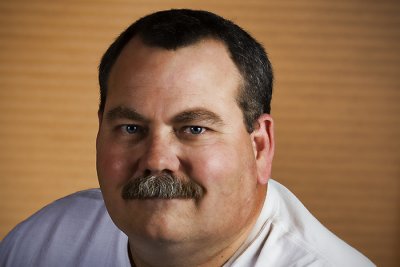
I've been doing self-portraits occasionally ever since I took a street photography workshop from Craig Tanner (Radiant Vista back then but now called The Mindful Eye) a couple years ago. Craig made it an assignment to do a self-portrait each night of the workshop which we had to share with the other participants and I learned to appreciate how difficult they are to do and how much you can learn from the process. Try it yourself and see how hard it is to take a shot you are completely satisfied with. I'm not completely satisfied with this one but it's the best I could do in the one hour I allotted myself. :-)

Title: "Me - April 2010"


Shot data: 1/200s f/8.0 at 105.0mm iso200
Camera / Lens: Canon 5D Mark II / Canon 24-105mm L zoom
Lighting: Alien Bee 400 to camera left w/ 10% grid, Alien Bee 800 with silver umbrella to camera right
Post-processing: Adobe Camera Raw > Photoshop CS4 > Topaz Adjust plugin > Nik Viveza plugin

Wednesday, March 17, 2010

#515. Happy St. Patty's Day

This is a photo I took and posted last year that is now my official St. Patty's Day photo! :-)

Here's my favorite Irish toast for the occasion:

May those that love us, love us; and those that don't love us, may God turn their hearts; if he can't turn there hearts, then may he turn their ankles, so we'll know them by their limp." ...Shamus Phibber McGee

Title: "Lucky Me"

Monday, March 15, 2010

#512. Fighter Reflection

I have more photos of Baytown poets that I will post tomorrow. Today's post is from an event held at Ellington Field in Houston this past Saturday. The event included, among other things, a private tour of the Field and an overview of Predator operations conducted from there. Attendees were a group of VIPs from the Homes For Our Troops organization including, among others, the head of the Homes for Our Troops organization and Hank Williams III.

Title: "Fighter Reflection"


Camera / Lens: Canon 5D Mark II / Canon 24-105 L zoom
Post-processing: Photomatix Pro > Photoshop CS4 > Topaz Adjust plugin

Wednesday, February 10, 2010

Balancing Act

Today's posting is of an image I made for the Bay Area Photo Club's February Honors Night held last night. The Assignment was for a Surreal Composite. I haven't done many composites and so I was excited that this Assignment gave me motivation to try something outside of my photographic comfort zone. Once I had a concept the execution was actually quite fun! :-) And...I received a Gold award for my efforts!

Title: "Balancing Act"


Camera / Lens: Canon 5D Mark II / Canon 24-105mm L zoom
Post-processing: Adobe Camera Raw > Photoshop CS4 > Topaz Adjust plugin > Nik Viveza plugin

Monday, December 21, 2009

I See Me cont'd

Here's the rest of the set I shot yesterday. Shaving is a relatively intimate and personal process and something that all men do every day. Conceptually my hope is that these photos are both revealing, due to their personal nature, and a little intriguing, due to their familiarity.

Title: "I See Me 4"


Shot data: 1/250s f/4.0 at 50.0mm iso200
Camera / Lens: Canon 40D / Canon 17-55mm f/2.8 zoom
Strobist: 1 Vivitar 285HV, 1/4 power on light stand slightly camera left pointed down, 1 Canon 430EX background light on light stand all triggered with Pocket Wizards and using an intervalometer to take a series of timed shots
Post-processing: Adobe Camera Raw > Photoshop CS4 > Topaz Adjust plugin


Title: "I See Me 5"


Shot data: 1/250s f/4.0 at 50.0mm iso200
Camera / Lens: Canon 40D / Canon 17-55mm f/2.8 zoom
Strobist: 1 Vivitar 285HV, 1/4 power on light stand slightly camera left pointed down, 1 Canon 430EX background light on light stand all triggered with Pocket Wizards and using an intervalometer to take a series of timed shots
Post-processing: Adobe Camera Raw > Photoshop CS4 > Topaz Adjust plugin

Title: "I See Me 6"


Shot data: 1/250s f/4.0 at 50.0mm iso200
Camera / Lens: Canon 40D / Canon 17-55mm f/2.8 zoom
Strobist: 1 Vivitar 285HV, 1/4 power on light stand slightly camera left pointed down, 1 Canon 430EX background light on light stand all triggered with Pocket Wizards and using an intervalometer to take a series of timed shots
Post-processing: Adobe Camera Raw > Photoshop CS4 > Topaz Adjust plugin

Title: "I See Me 7"


Shot data: 1/250s f/4.0 at 50.0mm iso200
Camera / Lens: Canon 40D / Canon 17-55mm f/2.8 zoom
Strobist: 1 Vivitar 285HV, 1/4 power on light stand slightly camera left pointed down, 1 Canon 430EX background light on light stand all triggered with Pocket Wizards and using an intervalometer to take a series of timed shots
Post-processing: Adobe Camera Raw > Photoshop CS4 > Topaz Adjust plugin


Sunday, December 20, 2009

I See Me

I took a series of self-portraits tonight to test a concept I have for a possible future body of work. I especially wanted to test this lighting setup. Part of the concept is for all the images to be in black and white to add a bit of timelessness and drama to the shots.

Title: "I See Me 1"


Shot data: 1/250s f/4.0 at 50.0mm iso200
Camera / Lens: Canon 40D / Canon 17-55mm f/2.8 zoom
Strobist: 1 Vivitar 285HV, 1/4 power on light stand slightly camera left pointed down, 1 Canon 430EX background light on light stand all triggered with Pocket Wizards and using an intervalometer to take a series of timed shots
Post-processing: Adobe Camera Raw > Photoshop CS4 > Topaz Adjust plugin

Title: "I See Me 2"


Shot data: 1/250s f/4.0 at 50.0mm iso200
Camera / Lens: Canon 40D / Canon 17-55mm f/2.8 zoom
Strobist: 1 Vivitar 285HV, 1/4 power on light stand slightly camera left pointed down, 1 Canon 430EX background light on light stand all triggered with Pocket Wizards and using an intervalometer to take a series of timed shots
Post-processing: Adobe Camera Raw > Photoshop CS4 > Topaz Adjust plugin

Title: "I See Me 3"


Shot data: 1/250s f/4.0 at 50.0mm iso200
Camera / Lens: Canon 40D / Canon 17-55mm f/2.8 zoom
Strobist: 1 Vivitar 285HV, 1/4 power on light stand slightly camera left pointed down, 1 Canon 430EX background light on light stand all triggered with Pocket Wizards and using an intervalometer to take a series of timed shots
Post-processing: Adobe Camera Raw > Photoshop CS4 > Topaz Adjust plugin

Saturday, June 20, 2009

Yard Work

I messed around with my new Satechi Multi-Function Timer Remote Control today. It has a built in intervalometer function that I set to fire every 30 seconds 20 times in a row to create this composite. I only ended up using 3 of the shots for this composite but the remote worked perfectly. I don't really know why I purchased this particular piece of equipment other than, unlike most photography related gear, it was fairly inexpensive (under $60 if memory serves). It has applications for long exposures, time lapse photography, etc. I imagined I could set it up at an event on my backup camera and take cameo event shot every minute or so. Hopefully I will be able to make good use of it. :-)

Title: "Yard Work"


Camera / Lens: Canon 40D / Canon 17-55mm f/2.8 zoom

Wednesday, April 15, 2009

Self Portrait (for Dummies)

Last night was the monthly Honors Night at Bay Area Photo Club in Webster, Texas where I have been a member for several years. On Honors Night club members submit photos for presentation to the general membership and for critique by a panel of three judges. Awards are given and photographers advance to higher levels upon meeting certain cumulative awards requirements. Today's photo is one I submitted for the Assignment category. The assignment was Self Portraits. I received a Gold Award for the photo. I also submitted yesterday's post ("Coming Storm") in the Open Category and received a Bronze Award for it.

I hope you enjoy today's post and thanks for visiting my blog!

Title: "Self Portrait for Dummies"


Camera / Lens: Canon 40D / Canon 17-55mm f/2.8 zoom

Thursday, February 12, 2009

Me!

Sorry but I'm practicing self-portraits again! I promise not to go crazy posting them (like I did with the pots) but every once in a while I feel the need to practice them in order to try and learn a little more about lighting and using my flash equipment and post-processing portraits. Please bear with me! Any suggestions for improvement would be highly appreciated!


Camera / Lens: Canon 40D / Canon 17-55mm f/2.8 zoom lens

Sunday, January 18, 2009

The Shark and Me

...and so we talked and it turned out we both love seafood! Of course, we have completely different political views, but overall I'd say we have more in common that either of us would have imagined.

Title: "The Shark and Me"


Camera / Lens: Canon 40D / Canon 17-55mm f/2.8 zoom
Post-processing: Combined three exposures (-2,0,+2 using timer with camera on a nearby curb) with Photomatix HDR software > Photoshop CS3 > Duplicate Background Layer > Topaz Adjust plugin "Psychedelic" preset at @44% opacity > Level Adjustment Layer to set black and white points

Thursday, January 15, 2009

Lucky Me!

OK. I had a little time to play with my lights tonight. I'm not really my favorite subject but I work for free. I don't usually include the camera meta data on my posts but because it's relevant to the strobist info below I let you know the shot was taken at f/7.1, 1/125sec, ISO 250 using the 10 second timer with camera mounted on my Slik tripod. Hope you enjoy this as much as I did! :-)

Title: "Lucky Me!"


Camera / Lens: Canon 40D / Canon 17-55mm f/2.8

Post-processing: Photoshop CS3 > Duplicate Background Layer > Topaz Adjust plugin "Psychedelic" preset with mask to limit the effect on the face > Curves Adjustment Layer to improve overall contrast > Merge Visible to New Layer > Select portion of right background and copy to new layer > flip copied right backround portion and move to the left with a mask to hide the seem over the copied section > Merge Visible to New Layer > Distort Lens Correction Vignette

Strobist: Homemade beauty dish on Manfrottp 366b light stand facing straigt in at head level using a Canon 430EX flash on 1/4 power > Vivitar 285HV flash at 1/16th on Manfrotto 366B light stand on camera right with a green gel pointing at the background > Vivitar 285HV flash at 1/16th on Manfrotto 366B light stand camera left with shoot through white umbrella slightly higher than head level > all lights fired by Pocket Wizards > Beauty Dish and shoot through umbrella were both 3-4' from subject (me)

Friday, January 2, 2009

Gangsta Me

I had some fun taking a self portrait yesterday! Thanks to my daughter Emma for helping me with "the look"!

Title: "Gangsta Me"


Strobist: Canon 430 with homemade beauty dish 45% on camera left (1/16 power 3 - 4 feet away, Vivitar 285HV with white shoot through umbrella and orange gel at 45% camer right (1/16 power 3-4 feet away). I don't have a light meter but based on the results the Vivitar rig appears about 1 stop brighter to me than the Canon rig (making the Vivitar the Key light?).

Camera / Lens: Canon 40D / Canon 17-55mm f/2.8 zoom
Post-processing: Adobe Photoshop CS3 > Created a blank layer on top of the background layer and painted in the black background using a black brush with layer blending in multiply mode (not necessary if you actually have a blackground but all I had was a sheet of black foam core that was too small for the job) > Merge Visible to New Layer > Topaz Adjust plugin "Dramatic" preset > Copy Layer > High Pass Sharpening with Hard Light Blending Mode > Level Adjustment Layer to set black point > Merge Visible to New Layer in Screen Blending Mode to increase overall brightness

Saturday, December 13, 2008

Bad Hair Day

I noticed in yesterday's post that I needed a hair cut. Unfortunately my barber and I miscommunicated and I ended up with almost no hair at all! Being a good sport, I continued my series of self portrait's anyway! :-)

Title: "Bad Hair Day"


Same set up as yesterday except that I moved the lights a tad and changed the gel on the background flash from orange to blue for something a little different.

Friday, December 12, 2008

New and Improved Me?

Same basic setup as yesterday's shot except I turned around the umbrella on my left and shot through it. I also lowered it and moved into a position closer to 65 degrees than 45 degrees. I also chimped the settings on both forward strobes until I found a balance I liked. All this was intended to yield a better self portrait than yesterday, after giving consideration to as many of yesterday's suggestions as possible. Hopefully this one is better!

Title: "Me Again!"